Deleting Datasource in the OPNBI
Delete Datasource: From this tutorial you will learn to Delete the datasource in OPNBI.
In order to delete the datasource follow these steps:-
By clicking on the delete icon
 on the bottommost toolbar.
Right click the datasource and select Delete to delete the datasource.delete.png
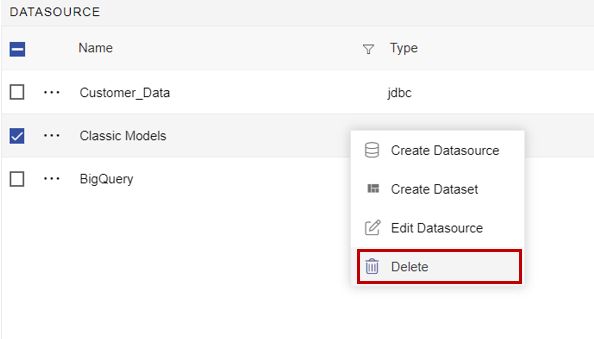
In this case, we have deleted a Datasource named datasource.
After you press, following popup will be opened:-

Delete button and Refresh the page from the top right ellipsis  .
In case of any further help, the user can click on the
 icon to access the OPNBI help documents.
If the user is not satisfied and wants to cancel the delete request, he can do this by clicking on the cancel button next to delete or by clicking on
 button next to the icon.